AI support automation
Product design for an AI automation platform that lets support and ops teams hand repetitive work to agents, and see exactly what those agents did.
- Client
- AI support automation
- Year
- 2025
- Services
- Product design
- Scope
- Design and build
The brief
The team came to us with a working engine and an interface only the founding team could use. Their customers are support and operations leads, not engineers, and they were building agents in a config editor and finding out about failures from their own customers.
The ask was specific. Let a support lead build, test and trust an agent without touching config, and make a failing agent impossible to miss.
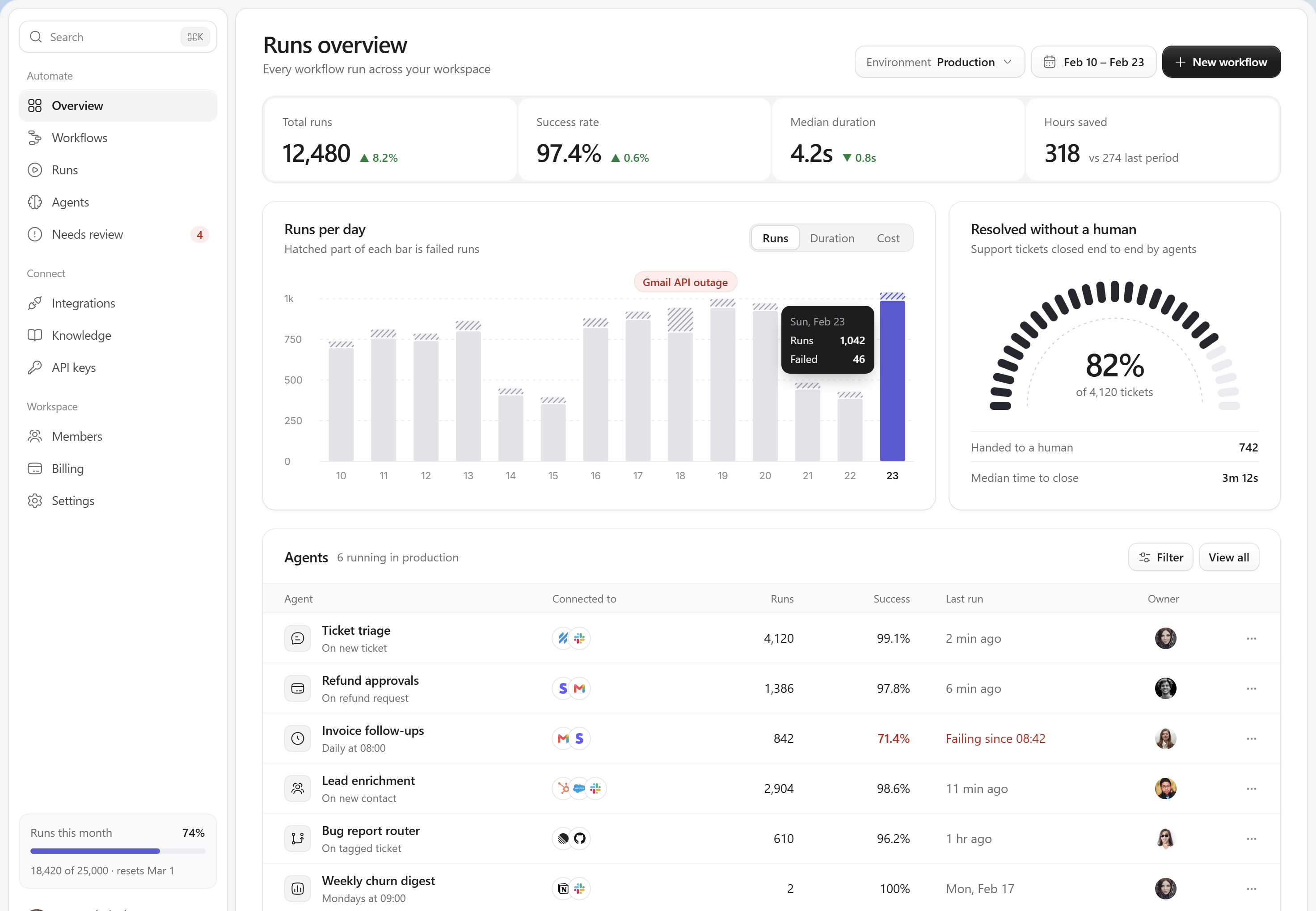
Runs overview. One screen that answers whether everything is working before you read a single number.
Start from the question, not the data
The old dashboard had fourteen charts. We asked the team what their customers actually checked each morning, and it came down to two things: did the agents run, and did any of them fail.
So the overview leads with runs per day, and failed runs are hatched inside each bar instead of drawn as a second series. Volume and failure read in one glance, and a failure spike changes the shape of the bar itself.
Colour is kept for exceptions. Today's bar is the only one in the brand colour, the outage gets the only red label, and every healthy row in the table stays plain text.
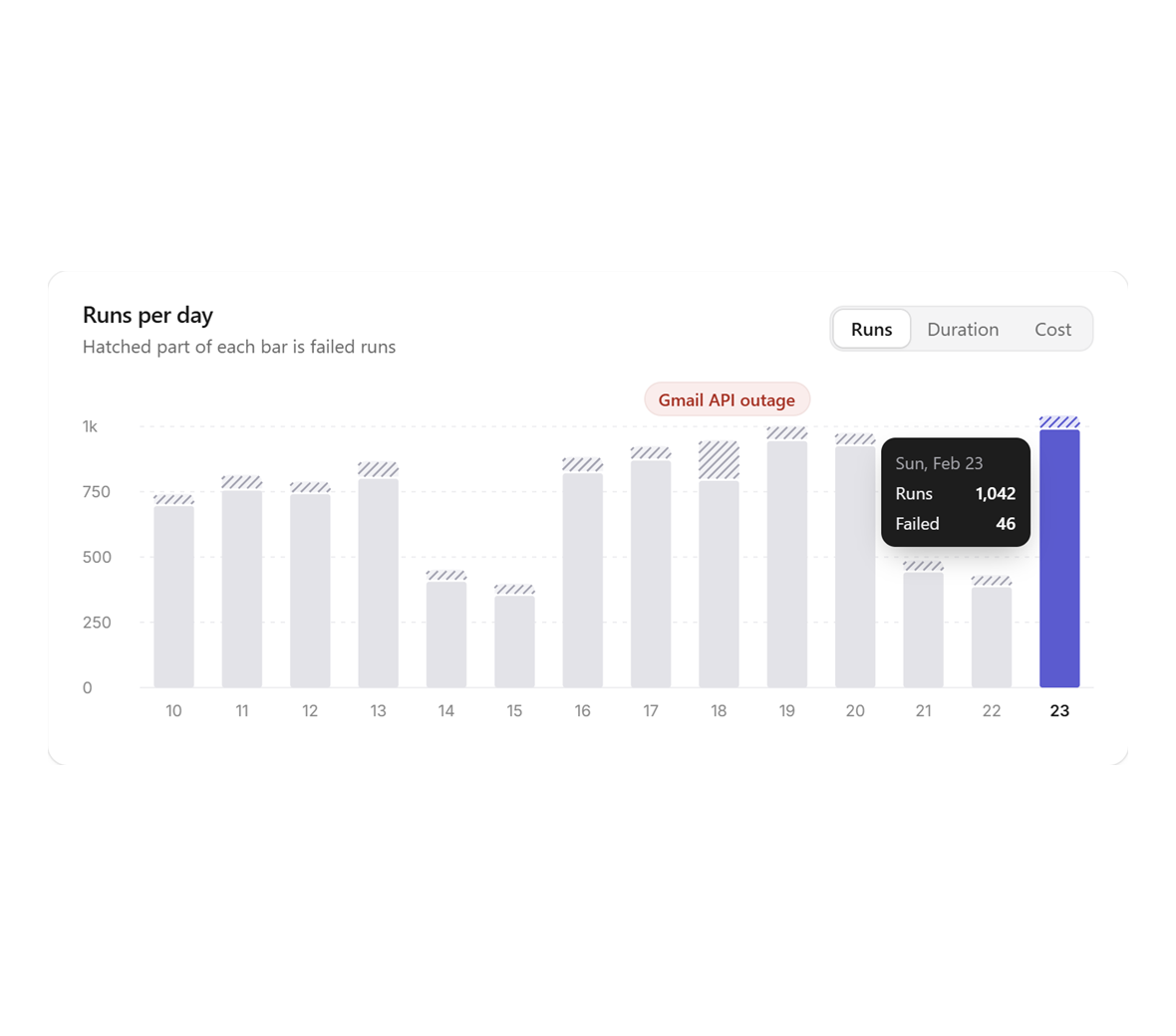
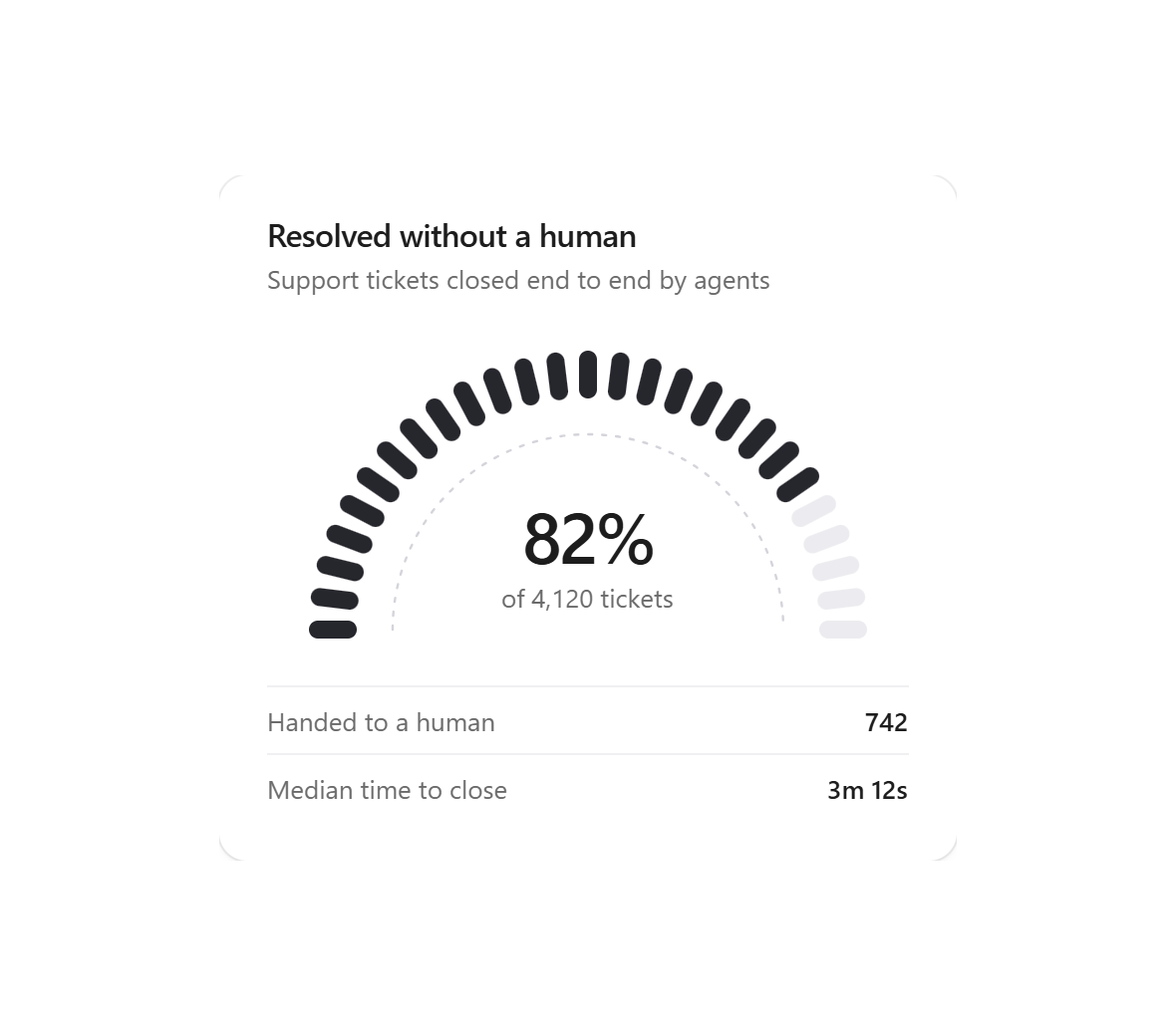
Failed runs sit hatched inside each day. The gauge is the one number the founders wanted on the wall.
One number for the wall
The founders measure the business on a single ratio: tickets closed by an agent with no human touch. It got its own card and a segmented gauge rather than a line chart, because it is a number people glance at from across the room, not a trend they study.
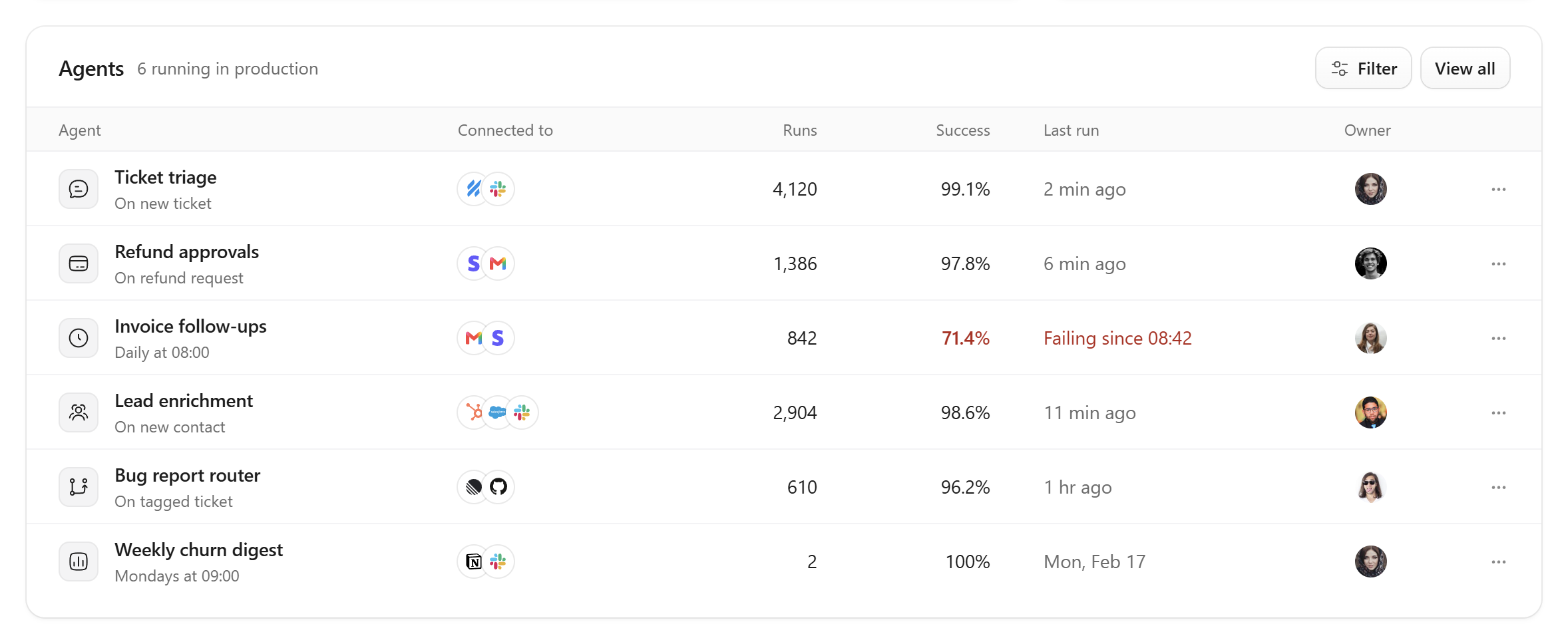
Each row reads left to right as trigger, tools, health. Only the failing agent is coloured.
Building an agent without config
The builder is a canvas because support leads already think in flows: a ticket arrives, something decides what it is, something acts. Every step is a card with plain settings, and AI steps take instructions the way you would brief a new hire.
Categories are written as sentences, and the confidence threshold is a slider with a sensible default instead of a number in a text box. The inspector keeps a live test on screen: paste a real ticket, see which branch it takes and how sure the model is, then publish.
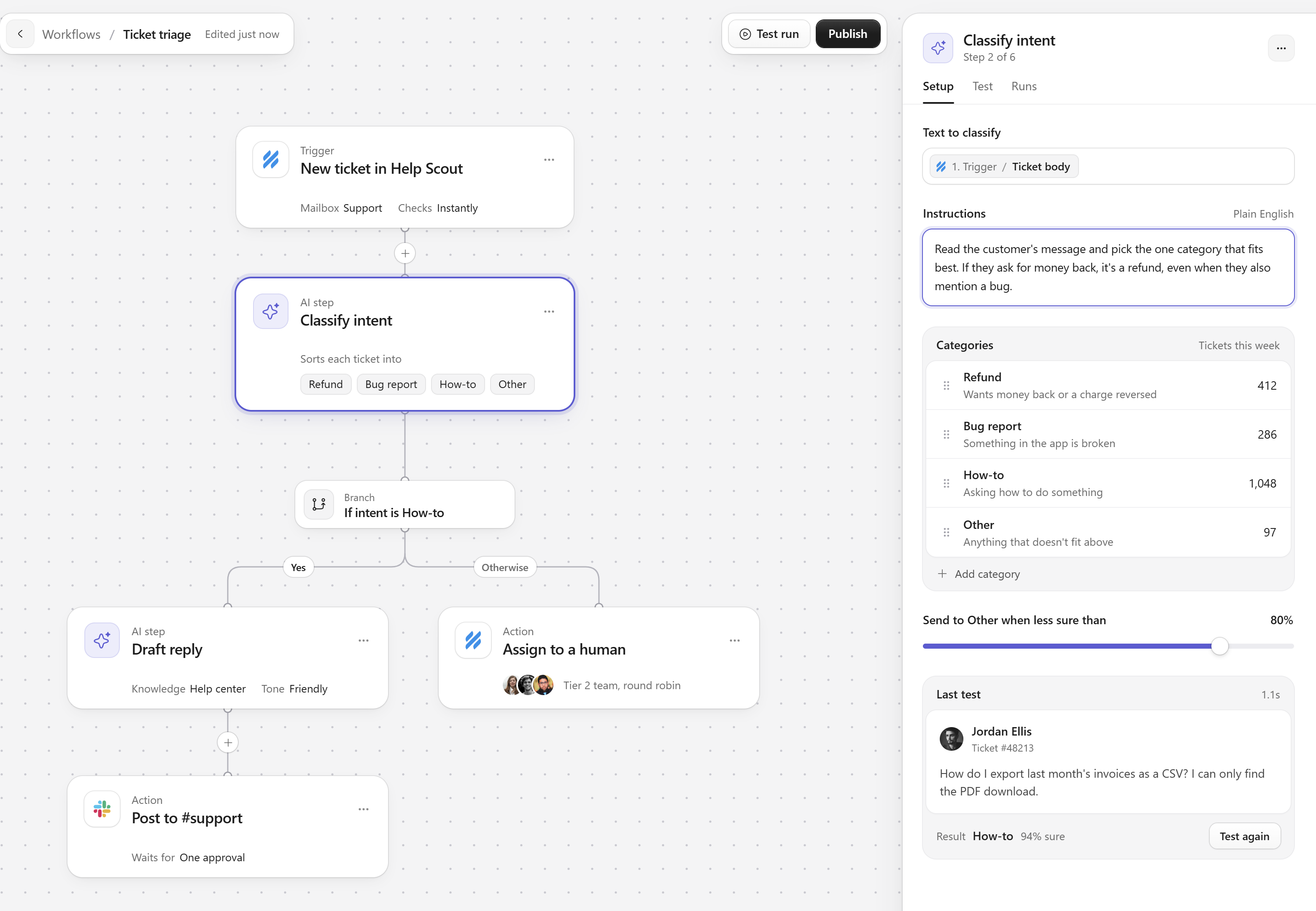
The workflow builder. Branches read top to bottom, and a teammate's cursor shows who else is editing.
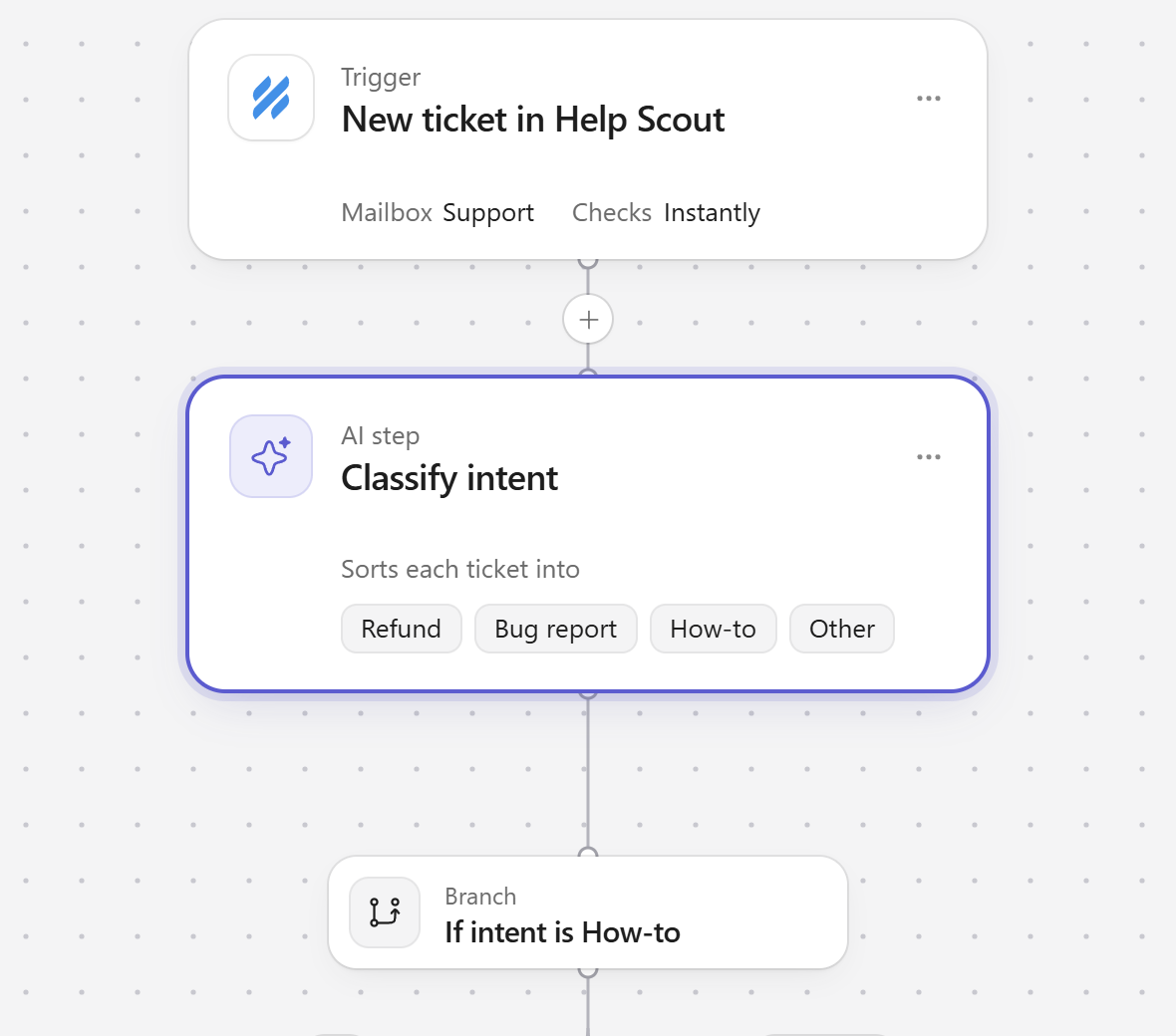
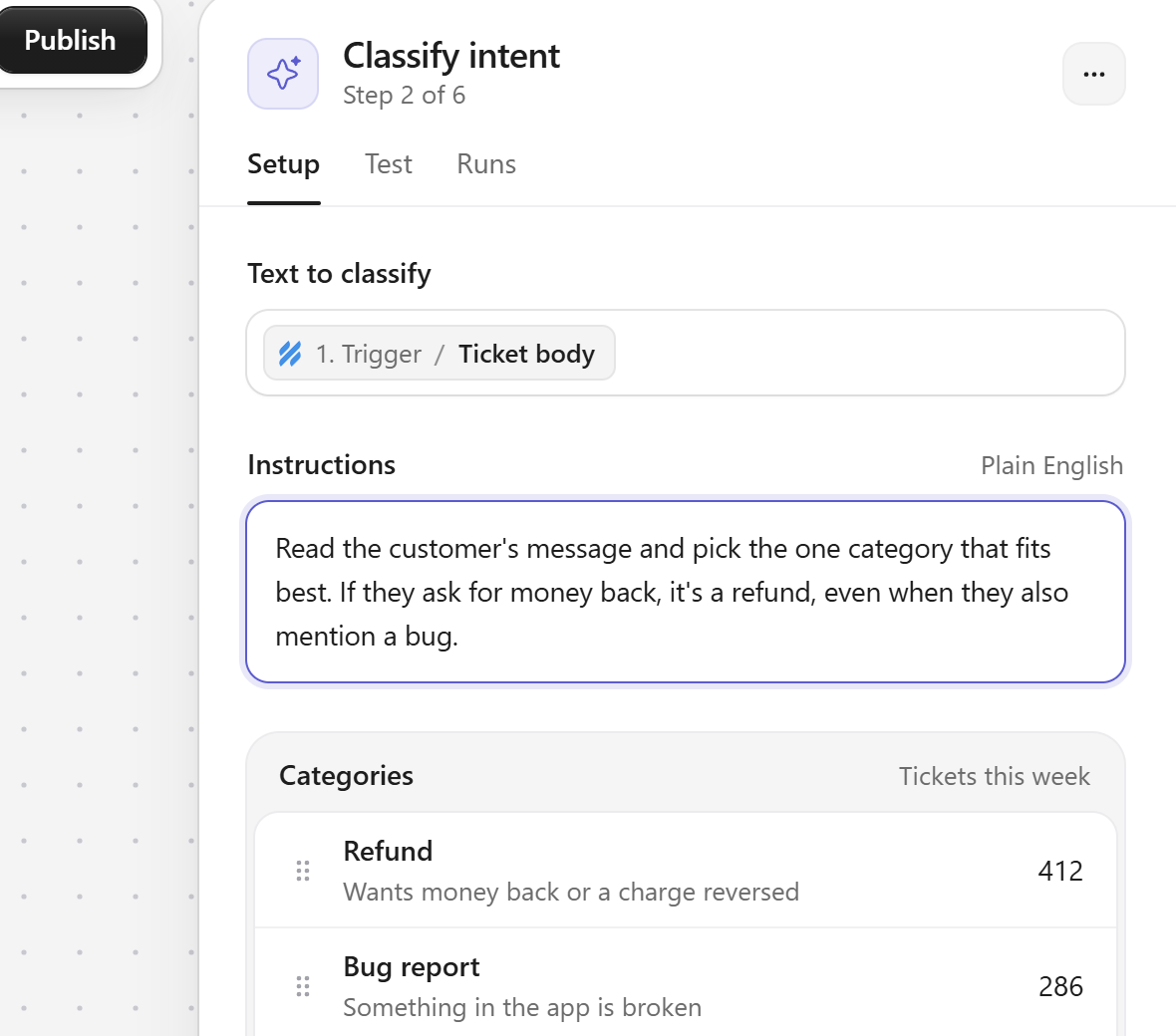
The flow, and the inspector for the AI classification step.
What we handed over
A design system built on one accent, two type weights and ring-based elevation instead of heavy shadows. Full flows for the overview, run history, agent builder and step inspector, with empty, loading and error states for each, and component specs the engineering team built against directly.
Next case study
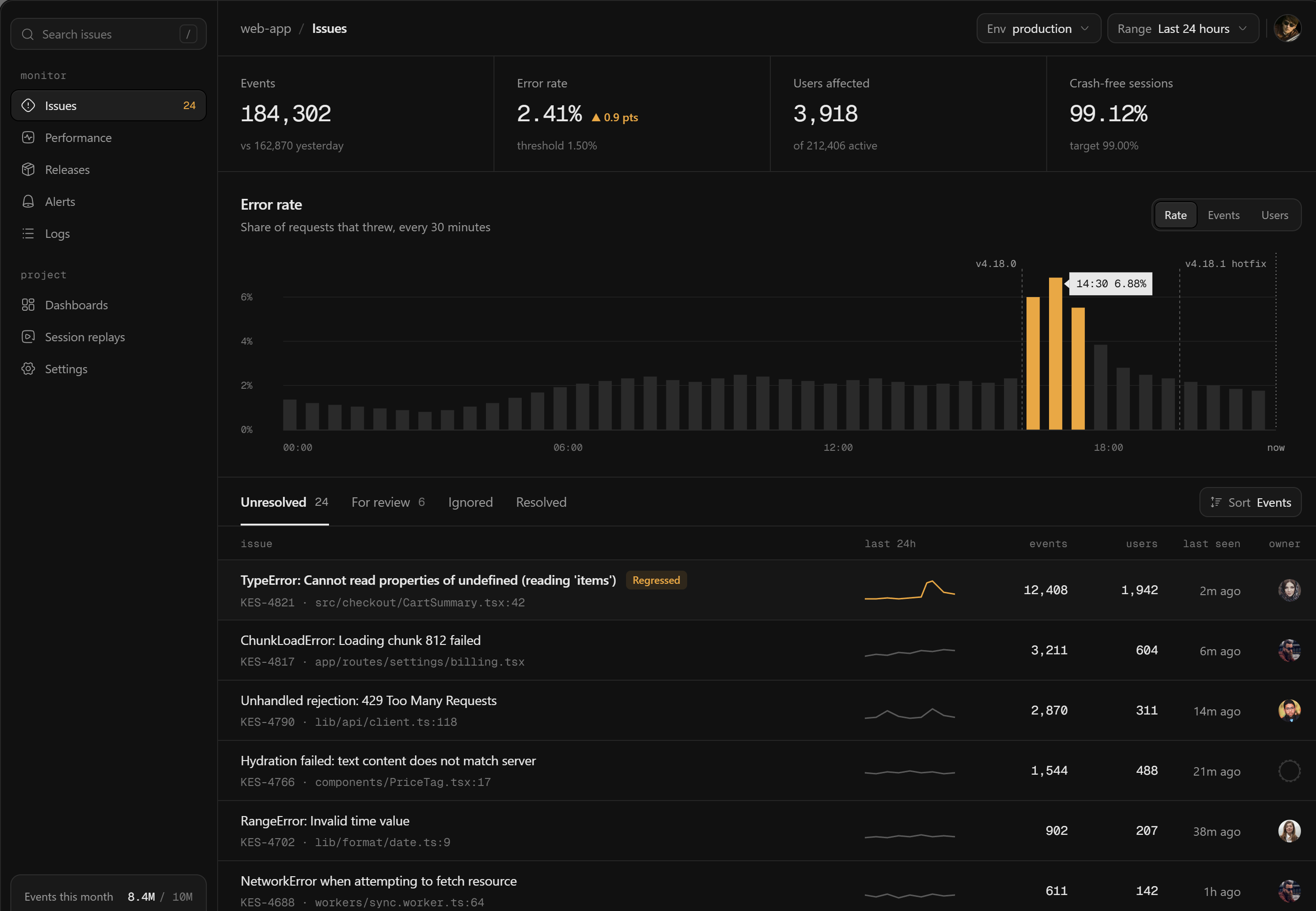
Error monitoring
Product design · 2025
Have a project like this?
Book a 20-minute call with Tyrese. You'll leave with a clear next step.